
8W Game – Download, Features, Games and User Guide

Description
8W Game is a name that users may come across while exploring online gaming platforms and Android gaming apps in Pakistan. Before trying it, readers should understand what the platform offers, how its features work, and which details need careful checking. App information can sometimes be incomplete or outdated, so checking the available official sources is an important first step. This guide explains the main points in clear and simple English.

For anyone researching 8W APK, knowing the basic details is more useful than relying on promotional claims alone. Game options, registration steps, access methods, and payment rules should be checked against current information before making a decision. Users should also consider privacy, account safety, and the terms that apply to the platform. The following sections explore these topics to help readers understand 8W Game more clearly.
What Is 8W Game Download?
8W Game Download is a mobile-based gaming platform that users may explore for different types of online games and related features. Its main focus is to provide access to games through a digital platform, while the exact options can depend on the current version and region. Users should read the available rules and terms before creating an account or using any paid feature.
For beginners, 8W Game is easier to understand when its main sections are checked separately. These can include game categories, account features, app access, and available transaction options. Because online platforms can update their services, users should confirm the latest details from an official source instead of relying only on old articles or advertisements.
8W Game Features and Main Options
Different Game Options
Users may find different games and options in one app. New games may be added or changed according to new release updates. Users should check the latest game list before choosing any option.
Account Access
8W Game may provide basic options for creating an account and accessing user-related features. To get started, users should follow the current registration requirements displayed on the platform.
Mobile App Access
The platform may be available through a mobile app or another supported access method. Users should check device requirements before installing any application on their devices.
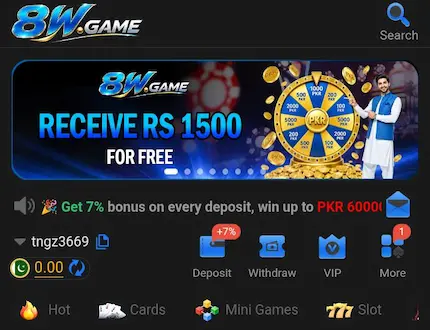
Account Management
Users may find basic account settings for managing their profile and related information. Available options can vary according to the current platform version and updates. These options can help users review their account details and keep important information updated.
Payment Options
Some users may find deposit or withdrawal options depending on the platform’s current rules. Payment methods and requirements should always be checked before making a transaction.
Help and Support
Support information can be useful when users face account, login, or other platform-related problems. Users should use the available official support channel for accurate assistance.
8W Game Download and Install
8W APK Download
- Open the official app store or a reliable source for the app.
- Find the latest available 8W APK version.
- Check the app version and Android requirements.
- Tap the download option.
- Wait until the APK file finishes downloading.
- Avoid APK files from unknown or suspicious websites.
Install 8W APK
- Open the downloaded APK file on the phone.
- Allow installation only if Android asks for the required permission.
- Review the app information before continuing.
- Tap the Install option.
- Wait for the installation to finish.
- Open the app after installation is complete.
- If Android shows a security warning, stop and verify the APK source before continuing.
8W Game Register and Login
For Register
- Open the 8W website or app.
- Select the Register or Sign Up option.
- Enter the requested account details.
- Create a strong password for the account.
- Check the information before submitting the form.
- Complete any verification step shown by the platform.
- Read the current terms before finishing registration.
Login
- First, open the 8W app or website.
- Next, tap the Login option.
- Then, enter your registered username, phone number, or other requested detail.
- After that, enter the correct password.
- If required, complete the security or verification step.
- Finally, tap Login to access your account.
- If login fails, check your entered details or, alternatively, use the platform’s available account-recovery option.
Different Entertainment Games
Card Games
Card games may offer simple gameplay with different playing formats. Before starting, users should check the individual game rules carefully.
Arcade Games
Arcade games may provide quick and simple entertainment with easy-to-understand controls. Additionally, the available titles can vary over time.
Number Games
Number-based games may include different formats built around numbers and basic game rules. Therefore, users should review each game’s instructions before playing.
Casual Games
Casual games may be suitable for users looking for simple gameplay without complicated controls
If you are enjoying 8W Game, you can also visit Player786 Game and the 10S Game for more Game options.
How to Add Funds and Withdraw Earnings?
To Add Funds
- First, open your 8W Game account.
- Next, go to the wallet or funds section.
- Then, check the payment methods currently available.
- After that, select a suitable payment option.
- Enter the required amount carefully.
- Before proceeding, review the transaction details.
- Finally, continue only after checking the current terms.
To Request Withdrawal
- First, sign in to your 8W Game account.
- Next, open the wallet or withdrawal section.
- Then, check the available withdrawal methods.
- Enter the required account or payment details carefully.
- Afterward, enter the amount you want to request.
- Before submitting, review the withdrawal information carefully.
- Finally, submit the request if all details are correct.
Available Fast and Easy Transaction Methods
JazzCash
JazzCash may be available in 8W for adding funds or receiving payments. To get started, users can select JazzCash from the payment section and follow the instructions shown in the app.
Easypaisa
Similarly, Easypaisa may also be offered as a payment option in 8W. Users can follow the available instructions and limits shown in the app. However, payment options may change depending on the app version or region.
Important Safety Checks for 8W Game
- Download the 8W APK from a reliable source.
- Check app permissions before installation.
- Use a strong password for your account.
- Never share your password or OTP.
- Check payment details before confirming.
- Read the latest app rules and terms.
- Keep your phone and Android system updated.
- Avoid unknown links or suspicious APK files.
- Check local rules before using the platform.
8W Game Issues and Fixes
| Common Issue | Fixes |
|---|---|
| App keeps closing | Restart the phone and open the app again. |
| Installation gets blocked | Allow installation only from a source you trust and check the APK file. |
| Login page does not load | Check your internet connection and try again. |
| Verification code is delayed | Wait a little and request a new code. |
| Balance is not updated | Refresh the account and check the transaction history. |
| Payment shows pending | Wait for the status to update and check the payment details. |
| Game screen is not loading | Switch to a stable internet connection and reopen the game. |
| Withdrawal request cannot be submitted | Check the current withdrawal conditions and required account details. |
| App shows an old version | Check for the latest version from a reliable source. |
Benefits and Limitations
| Benefits | Limitations |
|---|---|
| Easy layout for beginners | Some options may vary by version |
| Different Games are available | Internet is needed to open the Game |
| Convenient mobile access | Payment methods may change and disappear sometimes. |
| Entering the Game is very simple | Some features can change according to the game’s terms |
| JazzCash and Easypaisa are available, which makes transactions easy | Transactions can sometimes take time |
| Clear sections for different features | Users should check the latest app rules |
Frequently Asked Questions
8W Game is an online Game that can be played simply on a mobile phone through the internet.
Search for 8W Game in Chrome and visit a trusted APK site to download.
To create an account on this game, you have to provide a phone number and set a strong password.
Safety depends on the source, app permissions, and privacy policy. Always check these before installing
Final Words
8W Game offers different gaming options and helpful features that users can easily explore through an app. However, before using the app, check its latest version, features, requirements, and current terms. Additionally, users should carefully understand the available options and rely on reliable information before making any decision.
The features of 8W may change with updates or regional availability; therefore, checking current details is important. Additionally, if an APK is available, download it from a reliable source and review its permissions before installation. Finally, keeping account details private and following basic safety practices can help users make informed choices.